KITE —
from park to studio.
A sampler for beatmakers designed to make cutting/chopping samples fun again.

- One project file, everywhereStart a beat on one device and finish it on another — the session travels with you.
- Two routings, one clickSend a sample to another spot in the effect graph, and flip between effect chains instantly.
- Effect scenes, not automation lanesStep sequencer like changing of effect scenes — instead of drawing automation curves.
Demo
See KITE Sampler in action.
A short clip — a demo beat played live. No talking!
Use the same project, everywhere.
Start a beat on the couch with your tablet, then save it and open the same project in KITE Sampler inside your DAW. The session opens exactly as you left it, with every sample and routing intact — no export step and nothing to rebuild.
Your DAW
Loads as a plugin in Ableton Live, Logic, FL Studio, Bitwig, Reaper, and others, with AUv3 on macOS.
Standalone app
Runs as a native desktop app on macOS and Windows — no DAW required.
Native touch app
The full sampler — not a desktop app squeezed onto a screen.
Native touch app
The same engine, native on Android tablets — low-latency audio built in.
The 7 Sections.
We killed the automation lane. Instead, we built a modular workflow separated into 7 distinct areas.
The Sequencer
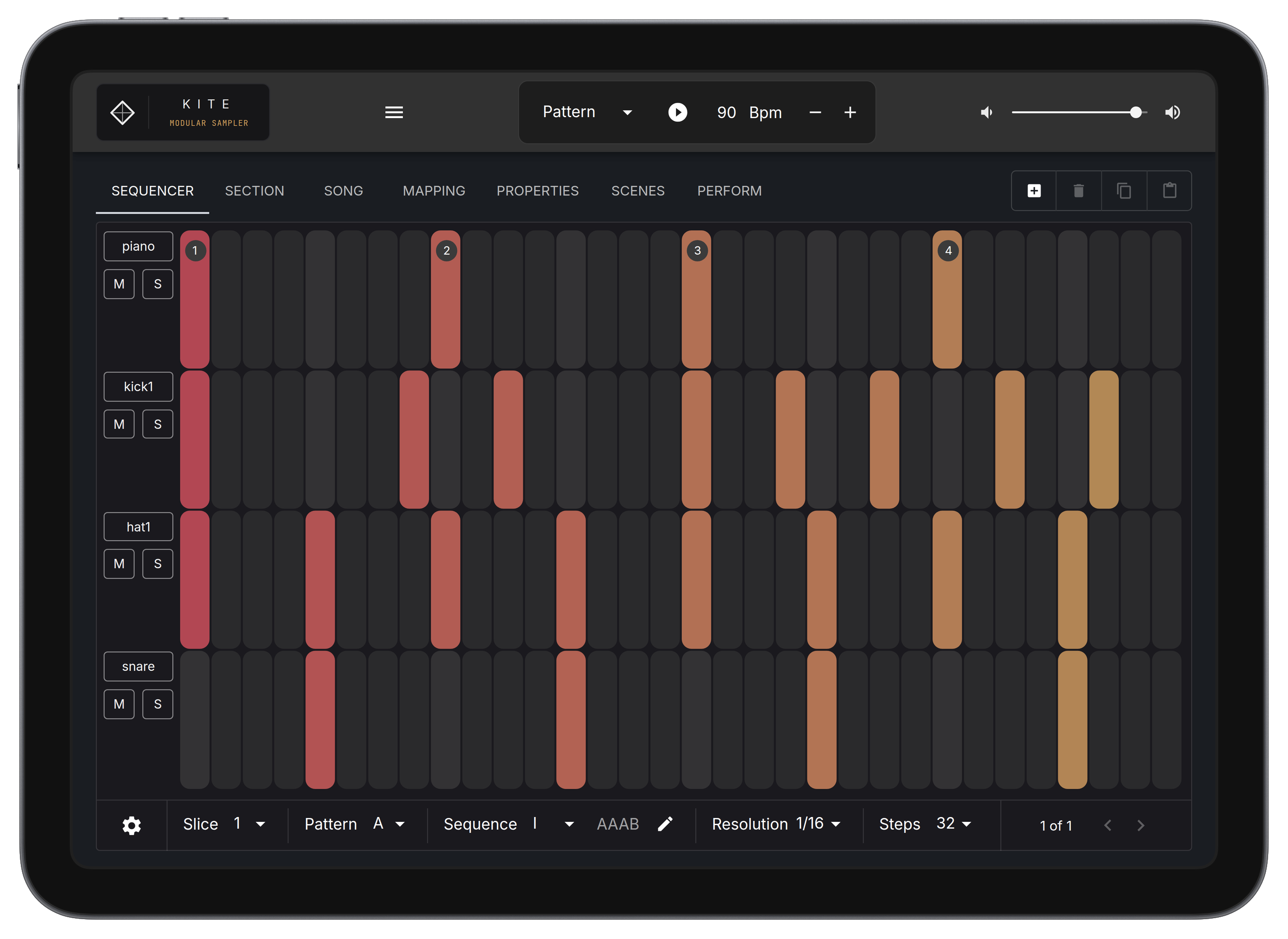
Tap in kicks and snares. Get a pattern going fast.
Section Arranger
No drawing lines. Arrange patterns and sequences and assign Effect Scenes to blocks.
Mapping Editor
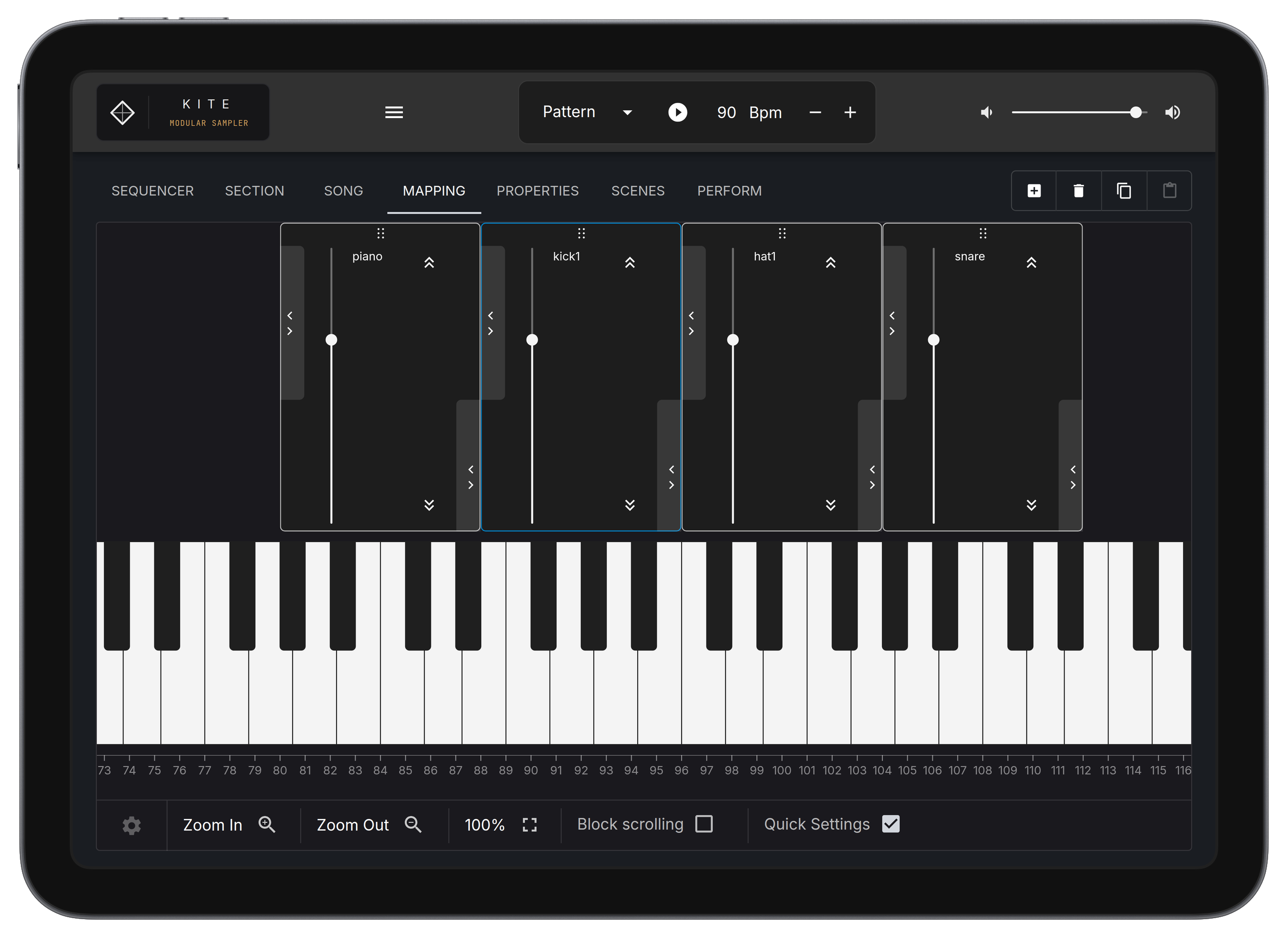
This is no toy. A mapping editor you'd normally only find in desktop heavyweights. Stretch samples and manage zones with precision.
Waveform Editor
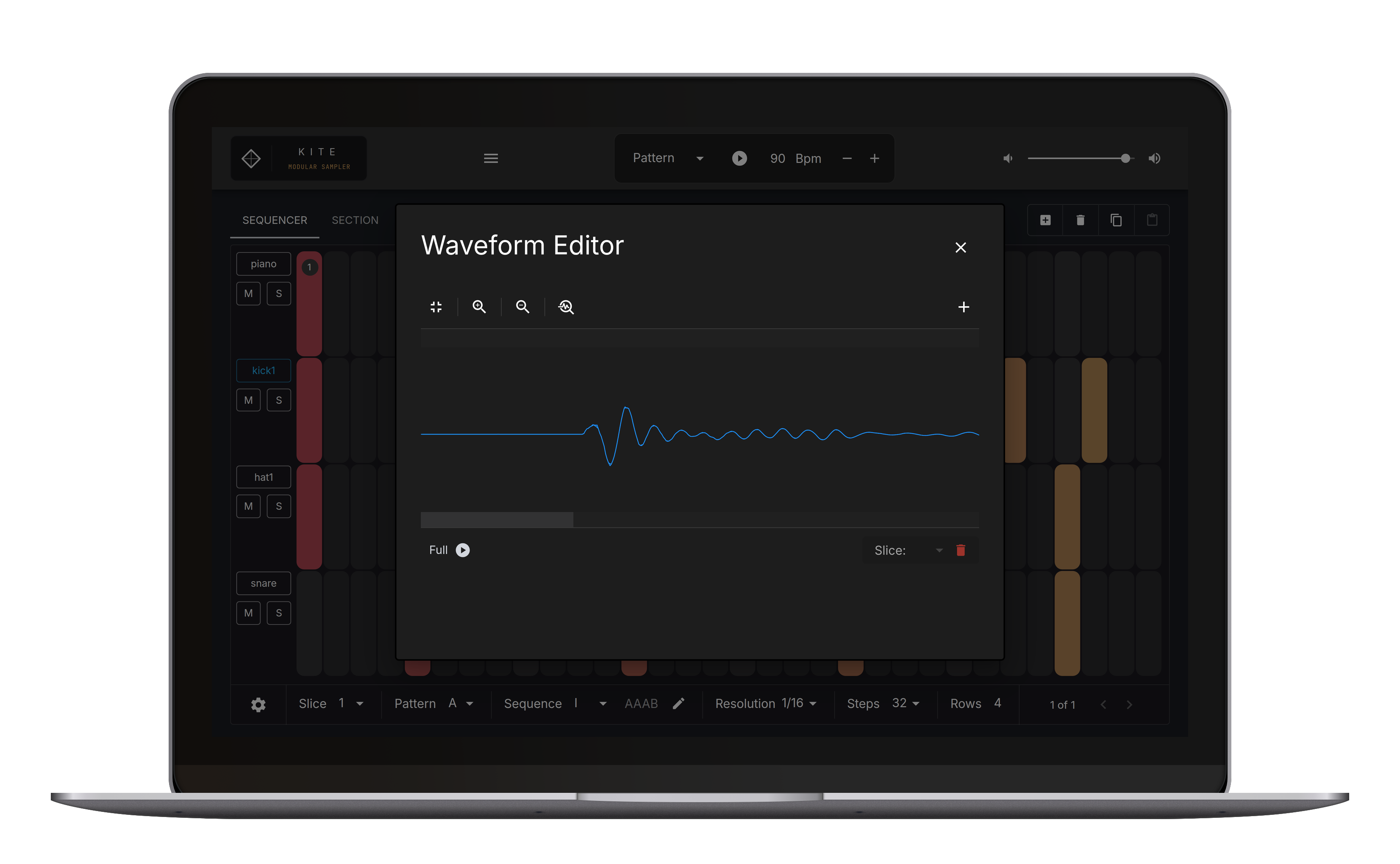
Chop fast, zoom precise, set markers in one move.
Modular Scene Graph
Route samples between engines and patch effects into the chain. Connections you couldn't make with a standard mixer.
Properties
Mute groups, envelopes, per-sample settings. Everything that lives at the sample level.
Performance Pads
A 16-pad layout for triggering and previewing your samples.
The Sequencer.
Wired tight to the waveform and mapping editors, so a chop lands on the grid the moment you make it.
The Waveform Editor.
Direct chopping. Zoom, drop markers — the way a sample editor should feel.
Visual Effects Rack
Five FX.
Nothing in the way.
Five effect modules. Designed to be performed, not just programmed.
- 2-Band DJ EQ:Quick tonal shifts.
- 3-Band DJ EQ:Cut the mud, keep the punch.
- BPM Delay:Synced rhythmic echoes.
- Simple Delay:Dub-style feedback loops.
- Reverb:Decay that sits back without clouding the mix.
A full-featured Mapping Editor.
Stretch and pitch samples across the full keyboard range. Connect a MIDI keyboard and play them like an instrument — 128 notes, no driver needed.
Technical Specs.
Frequently asked.
Every feature is included like in the full version, just save and export is locked.
No. It's a tool, not a sample pack. Load your own stuff — chops, field recordings, hardware bounces, whatever you're working with. It's your sound, not ours.
No. KITE Sampler runs standalone on desktop and tablet — no DAW needed. It also loads as a plugin if you'd rather work inside your DAW.
Yes. One license covers the plugin (macOS, Windows), the desktop standalone (macOS, Windows), and the tablet apps for iPad and Android — the same sampler everywhere, not a stripped-down version. And it's one project file: start something on your iPad, open it in your DAW exactly where you left it. No wav-stem hustle, no rebuild.
Koala is fast and fun — great for sketching. KITE is for when the sketch needs to become a track: multi-sample mapping, a patchable FX graph, and a project file that opens right in your DAW.
Yes. KITE Sampler is a one-time purchase. No monthly fee, no IAP, no expiring licenses. Lifetime updates for KITE Sampler 1.x.
On desktop, yes — AUv3 on macOS ships now, so KITE loads in Logic. On mobile, not planned: on iPad and Android tablet, KITE Sampler acts more as a self-contained beat lab rather than a plugin inside another host.
When I started working on building samplers ~12 years ago I realized two things: Modern DAWs for Desktop Computers bring in a lot of possibilities, but things like endless sub-menus, super hidden settings, 20-click workflows to get a simple effect etc. are some how killing a mental "flow" state.
On the other side, simple hardware boxes like the SP-303 are very limited, but the mental modal of the boxes are very easy and you kind of start to become creative around the limitations*.
With KITE Sampler I tried to bring together both worlds: Have a tool that brings in endless possibilities of a DAW but also has a simple mental model that keeps you in the flow. By going that route "by accident" some new unique workflows evolved:
- A step sequencer based approach of changing effect scenes instead of endless automation lane drawing
- A way to send samples through the effect graph to try out different effect chains etc. with just one touch
Beside that the waveform editor and the sequencer are coupled very close together, so that "chopping a sample" and "nailing it to the beat" becomes super fast!
The other thing I tried to achieve with the project was to make it super easy accessible, so I kind of went through a real hustle of making it as cross-platform as possible — but finally now it is here and works on iPad, Android tablet, as VST3, as a CLAP and so on. Side effect: one project file/archive that works everywhere — no wav export stress!
Hope people will enjoy it,
Best M.